

![Icon MojoLauncher APK hebe-20260326-[11b0f81]-v3_openjdk](https://apktodo.io/uploads/2026/5/mojolauncher-icon-150.jpg)
|
Name |
MojoLauncher |
|---|---|
|
Google Play Link |
GET IT ON
Google Play
|
|
Category |
Tools |
|
Developer |
artdeell |
| Last version | hebe-20260326-[11b0f81]-v3_openjdk |
|
Updated |
|
|
Compatible with |
Android 7.0+ |
Introduction to MojoLauncher APK
MojoLauncher is a mobile application designed for Android devices that lets users run the Java Edition of Minecraft, a version usually limited to desktop computers. It works as a utility tool rather than a traditional game, acting as a bridge between mobile hardware and a PC-style sandbox experience. For players who prefer the depth of Java gameplay, this app brings that format into a portable setup.
The main purpose of this launcher is to help users load different Minecraft Java versions directly on a phone or tablet. It supports everything from older builds to newer snapshots, which is useful for testing features or running specific mod setups. Instead of being locked into one version, users can switch between configurations based on their needs, whether that’s casual play or experimenting with custom worlds.
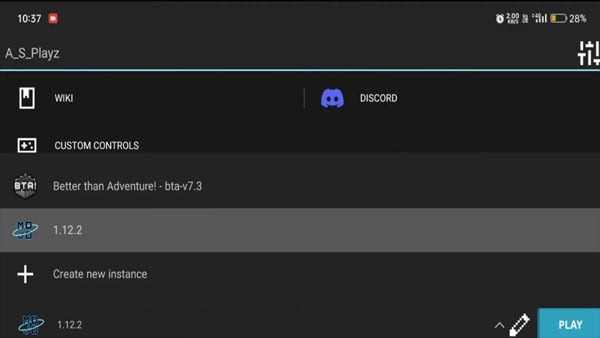
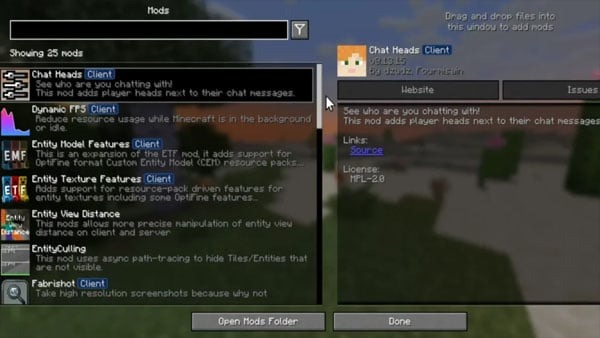
One of the most practical features is its support for mod loaders like Forge and Fabric. This allows players to install performance tweaks, visual upgrades, or gameplay changes without needing a PC. The app also includes instance management, so each setup can stay separate. This keeps modded worlds, vanilla gameplay, and testing environments organized and avoids file conflicts.
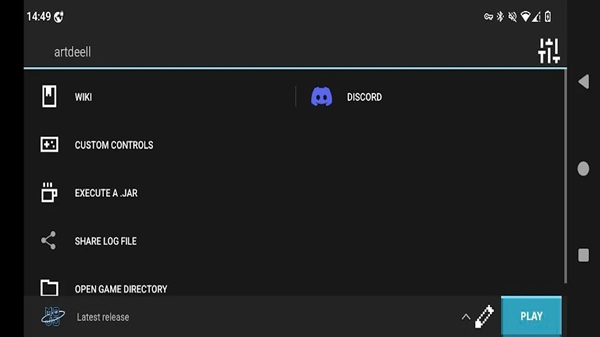
Control customization is another area where the app stands out. Since Java Edition relies on keyboard and mouse input, the launcher provides flexible touch controls that can be adjusted to fit different play styles. External controllers are also supported, which can make gameplay feel more familiar for users who prefer physical input over touchscreens.
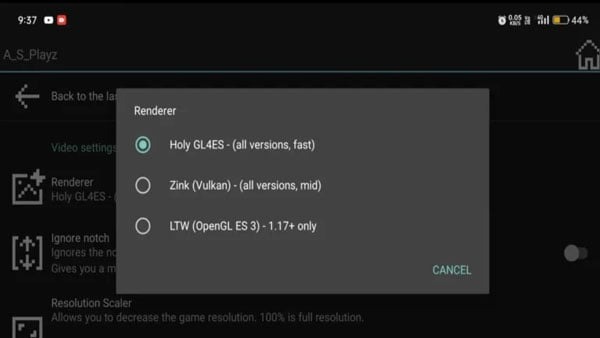
Performance depends heavily on the device being used. The app includes options to adjust rendering methods, memory usage, and runtime settings, which helps optimize gameplay. Lower-end devices may need reduced graphics or lighter mods to run smoothly, while stronger hardware can handle more complex setups. Even with these tools, some users may still encounter lag or crashes due to hardware limits.
This app is best suited for players who already understand how Minecraft Java works, including mods, versions, and file management. It fits well for short gaming sessions, testing modpacks, or connecting to Java servers while away from a computer. Beginners can still try it, but there may be a learning curve when setting everything up.
FAQs MojoLauncher
What is MojoLauncher used for?
+
MojoLauncher is used to run Minecraft: Java Edition on Android devices, including many game versions, modded instances, and Java multiplayer servers.
Can MojoLauncher run Forge and Fabric mods?
+
Yes. MojoLauncher supports Forge and Fabric loaders, so players can use compatible mods, clients, and performance tools based on the Minecraft version they choose.
What Android device specs are recommended for MojoLauncher?
+
MojoLauncher needs Android 5.0 or newer. Lighter versions can work with 2 GB RAM, while newer versions and larger modpacks usually need 4 GB RAM and OpenGL ES 3.1 or higher.
Can MojoLauncher join Minecraft Java servers?
+
Yes. MojoLauncher can connect to standard Minecraft Java servers, including survival servers, minigame hubs, and private servers, as long as the server version and setup are compatible.
Who should use MojoLauncher?
+
MojoLauncher suits Minecraft Java players who want mobile access to Java versions, mods, and servers, especially users who like managing instances and testing different setups.
Discover More Interesting Apps
-
 Mod
Mod
DiskWala
v26.8
123.89 Mb
Updated -
Neon App
v2.14.1
117.01 Mb
Updated -
HaloVPN
v20.1.3
93.33 Mb
Updated -
Panda Mouse Pro
v15
25.00 Mb
Updated -
Mod
Panda Gamepad Pro
v15
25.00 Mb
Updated -
Mod
Terabox
v4.27.5
252.70 Mb
Updated -
GearUP Game Booster
v4.0.9
19.38 Mb
Updated -
NIL Club
v5.1.12
167.85 Mb
Updated -
TikFinity
v2.7.4
91.39 Mb
Updated -
Mod
PigeonCast
v3.7.0
64.62 Mb
Updated









Share Your Thoughts